


Travelocity Hotels & Flights
4.79.20K Reviews
App Specs
- Version
- 2026.34.0
- Updated On
- License
- Free
- Downloads
- 5,000,000+
- Developer
- Travelocity.com
- Categories
- Travel & Local
- Platform
- Android, iOS
Screenshots
 Analysis by AppCompare
Travel planning often becomes frustrating when I have to jump between airline sites, hotel pages, maps, and separate booking tools. Travelocity Hotels & Flights is designed to bring the first part of that process into one mobile app: searching for flight deals and booking selected hotels. I found its value less in flashy extras and more in reducing the number of tabs I need when I am still comparing possible trips.
It is a free travel and local app from Travelocity.com, available for Everyone and compatible with devices running at least iOS or Android version 10. The app has been around since Jun 30, 2011, and its current version is 2026.33.1. Its 4.7 average from around 50 thousand ratings and more than 5 million installs suggest that it has become a familiar option for people who prefer arranging trips from a phone rather than starting on a desktop.
My overall impression is positive, with one important qualification: it works best as a practical comparison and booking starting point, not as a complete replacement for every travel tool. If I already know the exact airline, hotel chain, or loyalty program I want, going directly to that provider can sometimes be simpler. If I am flexible and want to examine several possibilities quickly, this app is much more useful.
How I use Travelocity for a normal trip search
I begin with the destination and dates rather than trying to decide everything at once. That sounds obvious, but it prevents a common mistake: choosing a hotel before checking whether the flight schedule makes the location convenient. I first look at available flights, then use the hotel search to see whether the total trip still makes sense in terms of timing and area.
The app’s strongest basic workflow is this gradual narrowing. I can start broadly, compare options, and then pay closer attention to the details that affect the real trip: departure times, arrival times, number of stops, hotel location, and whether the room suits the length of the stay. A low-looking price is not very helpful if it creates an awkward arrival or leaves me far from the places I actually need to visit.
For a weekend visit, I would use it differently than for a long holiday. On a short trip, I give more weight to flight times and hotel position because losing several hours can change the whole experience. For a longer stay, I am more willing to compare a wider area and consider whether a less central hotel creates worthwhile savings. Travelocity is useful in both situations, but the app cannot make that personal trade-off for me.
A realistic example is a last-minute work visit. I might search the flight first, identify an arrival that does not force an exhausting late-night transfer, and then look for a hotel near the meeting area. Instead of booking the first attractive room, I compare the hotel’s position with the flight schedule and the number of nights. That workflow is more reliable than searching “cheap hotel” separately and discovering later that the savings create extra transport problems.
Worth Reading Before You Choose

EA SPORTS FC Mobile 26 Is a Bigger Football Game, but It Takes Time

Flipboard Shows What News Apps Must Do Beyond the Feed

Switching to Android Auto Means Rethinking Your Driving Routine

Google Calendar Makes a Crowded Week Easier to Manage

Ludo King Makes the Most of the Minutes Between Plans

Baby Panda World Brings Quick Play to Modern Phones, but Its Game Library Feels Busy
I also recommend treating the first results as a shortlist, not an automatic answer. Search results are useful for discovering possibilities, but I still open the individual option and read the details before committing. The difference between a convenient deal and a disappointing one is often hidden in timing, room conditions, or the practical location rather than in the headline price.
What to check before tapping the booking button
My most important habit is to review the complete itinerary in one sitting. I check the travel dates, airport names, departure and arrival times, and the hotel dates before moving forward. Mobile booking encourages quick taps, especially when I am comparing several options, so slowing down at this point is worthwhile.
I also look at whether the flight schedule fits the hotel stay. An early departure can make a distant hotel inconvenient, while a late arrival may make a central location more valuable than a slightly cheaper room outside the main area. These are not problems the app should solve automatically; they are decisions where my own knowledge of the trip matters most.
Another useful habit is separating discovery from commitment. I use the app to build a realistic shortlist, take note of the options that fit, and only then decide. This reduces the temptation to book a merely acceptable result because I have already spent time searching. It also makes it easier to compare Travelocity’s options with a direct airline or hotel website when that comparison is important.
Settings and search choices worth checking
Travel apps can feel simple while still producing very different results depending on the choices made at the start. I pay close attention to the trip dates and destination spelling, especially when a city has more than one airport or when a hotel search covers a large metropolitan area. A broad location can be useful for discovery, but it may hide the distance that matters most once I arrive.
I check the passenger and room details before searching, because an option that looks suitable for one traveler may not work for a group. I also revisit the dates when the results seem unusually expensive or inconvenient. Sometimes the problem is not the destination but a narrow date range that leaves very few practical choices.
My advice is to use filters as a second step rather than applying too many restrictions immediately. If I filter aggressively at the beginning, I may remove a hotel that would have been ideal after considering its location or schedule. I start with the essentials, such as the right dates and general area, then narrow the list based on what I actually value.
This approach is particularly helpful when searching for hotels. A room that appears inexpensive may not be the best value if it requires a long journey to the purpose of the trip. I would rather compare a few well-located options than scroll through a large list that only looks attractive because it is sorted around one narrow criterion.
For flights, I avoid judging an itinerary by price alone. I consider whether a connection creates unnecessary risk, whether the arrival time is practical, and whether the return schedule leaves enough room for the final day. Travelocity makes the comparison convenient, but the responsibility for recognizing a bad fit remains with me.
Repeatable shortcuts for faster planning
Experienced use of this app is mostly about creating a repeatable routine. I keep the destination, dates, and purpose of the trip clear before opening the search. Then I examine flights, shortlist the hotel area, compare a small number of options, and perform a final itinerary check. Following the same order prevents me from getting distracted by attractive but unsuitable results.
For frequent travelers, I find it helpful to define personal rules in advance. For example, I might decide that a short city break must have a convenient arrival time, while a longer holiday can tolerate a less central hotel. These rules make the app faster to use because I am not reinventing my priorities on every search.
I also use a two-pass method. During the first pass, I look for the general shape of the trip: what flight times exist, which hotel areas are realistic, and whether the dates are workable. During the second pass, I inspect the details of the few options that survived. This is quicker and safer than opening every result with equal attention.
One non-obvious advantage of this method is that it exposes false bargains early. A cheap flight may arrive at a time that makes the first hotel night awkward. A low hotel rate may be less appealing once I consider the distance from the airport or the reason for the visit. By checking the two parts together, I judge the trip as a complete plan rather than as disconnected purchases.
I would not rely on memory for important details after comparing several options. I write down the flight times, hotel name, dates, and the reason each option made the shortlist. That small habit is especially useful when I pause the search and return later. It stops me from selecting an option simply because its name sounds familiar.
Where the app saves time and where it still needs help
The biggest time saving comes from having flight deals and selected hotel bookings in the same travel-focused environment. I do not need to begin with separate searches just to understand whether a trip is broadly affordable or practical. That is valuable when I am still deciding between destinations or dates.
However, I still use other sources when the decision depends on information outside the app’s main role. A map is better for judging walking routes and neighborhood feel. An airline’s own app may be preferable when I need airline-specific account tools or want to manage an existing booking directly. A hotel chain’s app can be the better choice when loyalty benefits are central to my decision.
This is the main comparison with usual alternatives. Travelocity is more convenient than visiting every provider separately during the discovery stage, while direct provider apps may offer a more focused experience after I have already chosen the airline or hotel. I see Travelocity as strongest in the middle of the process: broad enough for comparison, but not necessarily the final tool for every traveler.
The app is also not the right choice for someone who wants a highly customized, multi-part itinerary involving many transport types, detailed activity planning, or extensive destination research. It can help with the core flight-and-hotel decision, but I would still use dedicated tools for trains, local transport, maps, and daily planning.
Limits that matter for careful travelers
The first limitation is that “selected hotels” matters. I would not assume that every property in every destination is available through the same booking flow. If I have a specific hotel in mind, I check whether it appears rather than building my entire trip around an assumption that it will be listed.
The second limitation is that a comparison app can make options look easier to compare than they really are. Flight schedules, hotel locations, and room details do not always fit neatly into one simple ranking. I still need to inspect the individual choice and think about the total experience, especially when the trip includes tight timing.
Mobile screens also create friction. On a phone, it is harder to keep several itineraries visible at once than on a large computer display. I find the app convenient for searching and making a decision, but for complicated trips I prefer to take notes or use a larger screen before finalizing anything.
Another trade-off is flexibility. The app is helpful when I know the basic destination and dates, but it is less decisive when my plans are extremely open-ended. In that situation, I may need broader travel research first. Travelocity can compare the options I search for; it does not replace the creative part of deciding where I want to go.
Before paying, I read the final details carefully and save the confirmation information in a place I can reach without relying on a perfect internet connection at the airport or hotel. I also make sure the dates and traveler details match my plans. This is not a criticism unique to Travelocity; it is simply a sensible safeguard for any mobile booking service.
Who should use it, and who should skip it
I recommend Travelocity to travelers who want one free app for the early stages of finding flights and booking available hotels. It is especially suitable for people who compare several possible trips, prefer mobile planning, or want to avoid beginning with a maze of separate provider websites.
It is a good match for a couple planning a city break, a solo traveler arranging a work visit, or a family that wants to examine flight and hotel possibilities before committing. The app’s Everyone rating also makes it approachable for a broad audience, although the booking decisions themselves still require adult attention to dates, traveler details, and final terms.
I would skip it as my primary tool if I always book directly with one airline or hotel chain, depend heavily on loyalty features, or need a complex itinerary beyond flights and selected hotels. In those cases, a direct provider app or a more specialized planning service may create less friction.
The app is free, which makes trying it low-risk, but “free” does not mean every trip will be the cheapest through one source. I compare the final option with the relevant direct provider when the price difference matters, and I consider the convenience of managing everything in one place alongside the cost.
My verdict after building a practical routine
Travelocity Hotels & Flights earns its place on my phone because it makes the initial travel search feel manageable. Its real strength is not that it removes every decision; it gives me a useful place to organize the most important early choices and then lets me apply my own judgment.
The best results come from using a disciplined workflow: search broadly, check dates and locations, compare flights with hotel needs, narrow the list in stages, and inspect the final itinerary before booking. Those habits turn a basic travel search into a more dependable planning process.
With a 4.7 average and around 50 thousand ratings, the app has clearly built a substantial user base, and its more than 5 million installs reinforce that it is not an obscure travel option. I would not treat those figures as proof that it is perfect for every kind of journey, but they do match my impression that it is a mature, familiar choice rather than a novelty.
My final recommendation is straightforward: try it when you are comparing flights and available hotels, especially if you want to plan from your phone without starting at several separate sites. Keep a map, direct provider tools, and your own notes nearby for the parts Travelocity does not cover as deeply. Used that way, it is a sensible travel companion and a particularly useful flight-and-hotel comparison tool, even though experienced travelers will still want to verify the details themselves.
My strongest advice is to judge the complete journey, not the cheapest isolated result. That single habit makes the app more valuable, reduces avoidable booking mistakes, and helps you decide honestly when Travelocity is the right choice and when another travel service fits your trip better.
Pros
- Easy hotel and flight searches in one app
- Price alerts help track changes and possible savings
- Flexible filters make it easier to narrow down results
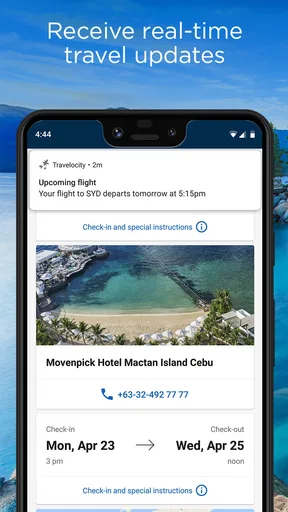
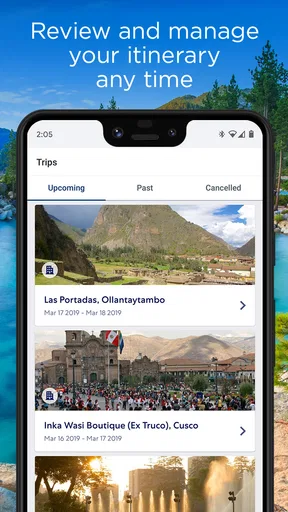
- Trip details and bookings are conveniently stored together
- Member deals may offer extra discounts on selected stays
Cons
- Some advertised rates may change before checkout
- Customer support experiences can vary by booking type
- Cancellation rules differ widely between hotels and flights
- The app may promote add-ons during the booking process
- Certain features and deals may require signing in
FAQs for Travelocity Hotels & Flights
What can I do with the Travelocity Hotels & Flights app?
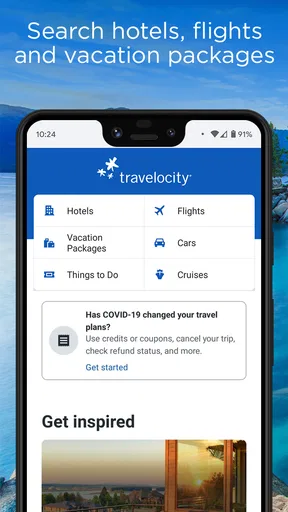
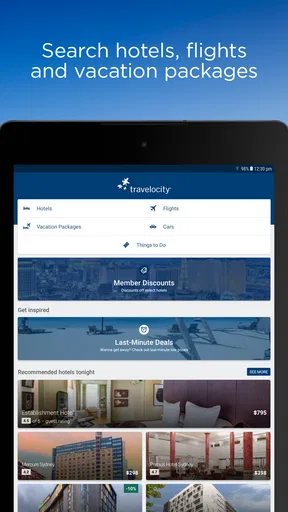
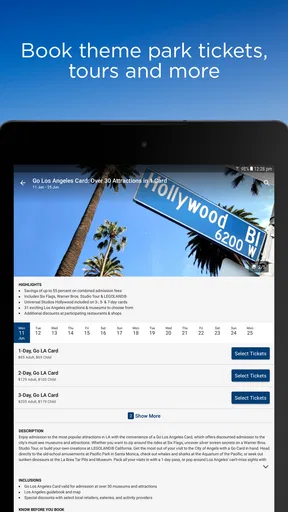
Travelocity Hotels & Flights is designed to help you search, compare, and book travel services from your mobile device. You can browse hotels, flights, vacation packages, and sometimes rental cars, depending on your destination and availability. The app also lets you review booking details, manage reservations, check trip information, and access travel-related support without needing to use a desktop browser.
Is it possible to find and book both hotels and flights in the same app?
Yes. The app allows you to search for hotels and flights separately or combine them when planning a trip. You can enter your destination, travel dates, number of travelers, and other preferences to compare available options. Combined bookings may make trip planning more convenient, but prices, availability, cancellation rules, and package conditions can vary considerably between providers.
Can I cancel or change a reservation through Travelocity?
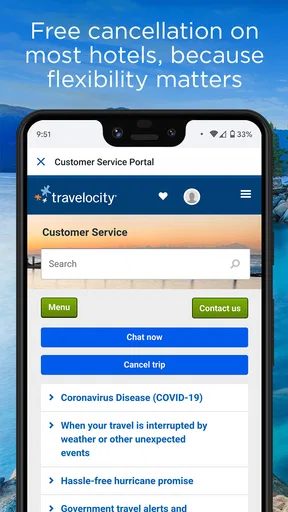
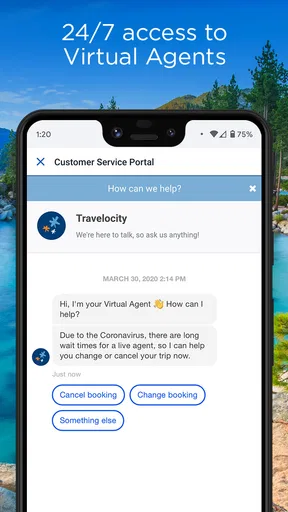
Many reservations can be changed or canceled through the app, but the exact options depend on the airline, hotel, fare type, and booking conditions. Some reservations offer free cancellation before a stated deadline, while others may be nonrefundable or charge a fee. Before confirming a booking, carefully read the cancellation policy and check the reservation details in your account.
Does the Travelocity app show the final price before booking?
The app generally displays pricing information during the search and booking process, including applicable taxes or fees when they are available. However, prices can change quickly because travel inventory is dynamic, and some charges may depend on the property, airline, destination, or payment method. Always review the final checkout screen, total cost, restrictions, and included services before paying.
Is the Travelocity Hotels & Flights app safe to use for travel bookings?
The official Travelocity app is intended to provide a secure way to search for and reserve travel services through a recognized online travel platform. Even so, users should download it only from the official Google Play Store or Apple App Store, verify the developer name, and keep the application updated. Use a strong account password and review confirmation emails after completing a reservation.


